How to Make a Brand Video on a Small Budget in India
A step-by-step plan for Indian small businesses to script, shoot, edit and publish a brand video using a phone, a cheap kit and free apps, with music licensing done right.
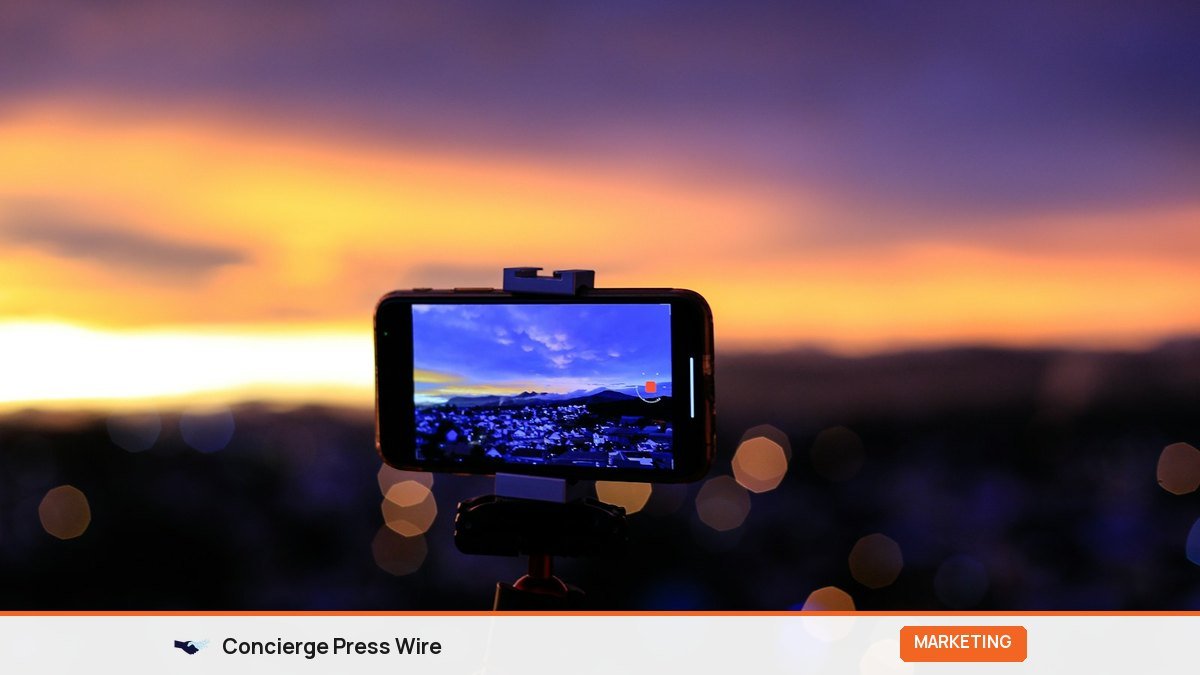
You can make a good brand video in India for the cost of a phone you already own, a Rs 1,000 to Rs 3,000 kit, free editing software and a weekend of planning. This guide takes you through the whole process: picking the one message your video must deliver, writing a 60 to 90 second script, shooting on a phone with good light and sound, editing with free apps, licensing music correctly, and getting the finished video in front of customers on Instagram, YouTube, WhatsApp, your website and marketplaces.
Key Takeaways
- A brand video should answer three things: who you are, what problem you solve, and why a customer should trust you.
- Sound quality matters more than camera quality; a basic lapel mic is the best money you will spend.
- Shoot in window light or outdoors in the shade, with the phone locked on a tripod, horizontally for YouTube and vertically for Reels.
- Never use film songs or trending tracks you have not licensed; use free libraries or properly licensed stock music.
- Cut one master video into many versions: a 60-second hero, 15-second ads, Reels, a WhatsApp Status clip and a website banner loop.
What a Brand Video Is (and Is Not)
A brand video introduces your business: the founder or team, the product or service, how it is made or delivered, and why customers like it. It is different from a product demo, which explains features, and from an ad, which pushes a specific offer. A good brand video works for months on your website, Google Business Profile, YouTube channel, marketplace store page and investor or dealer decks.
For example, a small spice company in Kochi might show the founder at the farm, the drying and grinding process, and a customer cooking with the masala, ending with the brand line. A CA firm in Indore might show the partners explaining in plain Hindi how they simplify GST for traders. Both are illustrative; the point is that the story is specific to the business.
Step 1: Decide the One Message
Before you touch the camera, write one sentence: “After watching this, the viewer should know that ______ .” Examples:
- “…our handloom sarees are woven by real weavers in Chanderi, not machine-made.”
- “…we deliver fresh tiffin within 30 minutes in Koramangala.”
- “…our clinic explains every treatment and cost before starting.”
Then decide the main viewer (new customer, dealer, investor, job seeker) and the one action you want next (visit website, WhatsApp us, book a demo). Everything that does not support that sentence gets cut.
Step 2: Write a 60 to 90 Second Script
People speak about 130 to 150 words a minute on camera, so a 60-second video needs roughly 130 to 150 words of voiceover. Use our free word counter to keep the script tight.
A simple script structure
| Section | Time | What to show | What to say |
|---|---|---|---|
| Hook | 0 to 5 sec | The most striking visual: product in action, a happy customer, the process | A line naming the problem or a surprising fact about your business |
| Who we are | 5 to 20 sec | Founder or team at work | Name, city, what you make or do, since when |
| How it works / why us | 20 to 45 sec | Process shots, close-ups, behind the scenes | Two or three proof points: materials, process, certifications, numbers you can verify |
| Customer moment | 45 to 55 sec | Customer using the product or a short genuine testimonial | One real line from a real customer, with permission |
| Call to action | 55 to 60+ sec | Logo, website, WhatsApp number | One clear next step |
Script writing tips
- Write how you speak. If your customers speak Hindi, Tamil, Marathi or Hinglish, script in that language and add English subtitles.
- Use short sentences. If you run out of breath reading a line aloud, split it.
- Avoid claims you cannot prove, such as “best in India” or “No. 1”. Advertising standards in India expect claims to be substantiated.
- Read the script aloud with a timer before shooting.
Make a shot list
Next to every line, write the shot you need: “wide shot of workshop”, “close-up of hands stitching”, “founder talking to camera”, “packing a parcel”. Shoot at least three different shots for each line. Editing is far easier when you have choices.
Step 3: Gear on a Budget
A recent mid-range phone shoots better video than many old professional cameras. Spend on stability and sound instead of a new camera.
| Item | Approx. budget (varies by brand and city) | Why it matters |
|---|---|---|
| Phone tripod with mount | Rs 400 to Rs 1,500 | Steady shots instantly look professional |
| Wired or wireless lapel (lavalier) mic | Rs 500 to Rs 3,000 | Clear voice; viewers forgive average video but not bad sound |
| LED light or ring light (optional) | Rs 800 to Rs 2,500 | For indoor shoots after dark; window light is free |
| White thermocol sheet or reflector | Rs 50 to Rs 600 | Bounces light to soften shadows on faces |
| Phone gimbal (optional) | Rs 3,000 and up | Smooth walking shots; skip it for your first video |
Prices are rough ranges from common online listings and will vary. If money is very tight, a stack of books, the phone’s own mic held close and a window is enough to start.
Step 4: Shoot Like a Professional on a Phone
Phone settings
- Clean the lens. Fingerprints cause most “blurry phone video”.
- Shoot in 1080p or 4K at 25 or 30 frames per second. Keep it consistent across all clips.
- Use the main (1x) rear camera, not the front selfie camera, for the best quality.
- Lock focus and exposure by long-pressing on the subject, so brightness does not jump.
- Turn on airplane mode so calls and notifications do not ruin a take.
- Decide the orientation: horizontal (16:9) for YouTube and website, vertical (9:16) for Reels, Shorts and WhatsApp Status. If you need both, shoot the key talking-head lines twice.
Light
Face a window, never sit with your back to it. Outdoors, shoot in open shade or in the softer light of early morning and late afternoon, not under harsh noon sun. Switch off mixed tube lights that turn skin green.
Sound
Record in the quietest room available, away from traffic, ceiling fans, pressure cookers and AC hum. Soft furnishings such as curtains, sofas and carpets reduce echo. Clip the lapel mic a hand’s width below the chin. Record 10 seconds of silent “room tone” in each location; editors use it to smooth cuts.
Framing and B-roll
- For talking heads, keep eyes about one-third from the top of the frame and leave a little space in the direction the person faces.
- Shoot plenty of B-roll: hands at work, product close-ups, the shop front, packing, delivery, customers (with permission). B-roll hides cuts and keeps viewers watching.
- Hold every shot for at least 8 to 10 seconds, without moving the phone.
- Get written consent from anyone identifiable in the video, especially customers and staff, and avoid filming children unless parents agree in writing.
Step 5: Edit With Free or Low-Cost Apps
You do not need expensive software for a 90-second video. Popular options in India include:
| Tool | Platform | Good for |
|---|---|---|
| DaVinci Resolve (free version) | Windows, Mac, Linux | Full-featured desktop editing, colour correction and audio cleanup |
| Canva video editor | Web, mobile | Quick edits with templates, text, subtitles and brand colours |
| InShot or VN Video Editor | Android, iOS | Fast phone editing, trimming, text and aspect ratio changes |
| Edits by Instagram | Android, iOS | Vertical video for Reels with captions and effects |
| Phone’s built-in editor | Android, iOS | Trimming and basic adjustments |
Check each app’s current terms, watermark policy and pricing, since free tiers change.
Editing checklist
- Lay down the voiceover or talking-head audio first.
- Cover it with B-roll that matches what is being said.
- Cut every pause, “umm” and repeated line; keep shots between 2 and 5 seconds.
- Add subtitles. Many people watch on mute, especially on Instagram and in office settings.
- Correct colour so skin looks natural and white looks white.
- Keep music about 15 to 20 dB below the voice.
- Add your logo and call to action in the last 5 seconds, not a 10-second animated intro.
- Export at 1080p, then watch the whole video on a phone with sound on and off before publishing.
Step 6: Music Licensing Without Copyright Trouble
Using a Bollywood song or trending track in a business video without a licence is copyright infringement under the Copyright Act, 1957. On YouTube it can lead to claims, muted audio or strikes; on Instagram, business accounts generally have restricted access to popular music in the library for commercial use. Safe options:
- YouTube Audio Library: free tracks inside YouTube Studio. Google’s help page says some tracks require you to credit the artist in the description. Google notes it cannot give legal guidance about use off YouTube, so check each track’s terms before reusing it on other platforms.
- Meta Sound Collection: free music and sound effects for use in videos on Facebook and Instagram.
- Paid stock music sites: a one-time or subscription licence that covers commercial and social media use. Read the licence: some exclude TV ads or paid ads.
- Commission a local musician: a short original jingle from a music student or independent composer can cost less than you think. Get a written assignment or licence of rights.
Keep a simple licence log: track name, source, licence type, date downloaded and a screenshot of the terms. For more on how copyright works in India, the Copyright Office site has the Act and procedures.
Step 7: Where to Use Your Brand Video
One master video can be cut into many assets. Plan these versions from the start:
| Placement | Format | Length | Tip |
|---|---|---|---|
| Website homepage / about page | 16:9 | 60 to 90 sec | Host on YouTube and embed, or compress well, so the page stays fast |
| YouTube channel trailer | 16:9 | 60 to 90 sec | Write a keyword-rich title and description |
| Instagram Reels / YouTube Shorts | 9:16 | 15 to 45 sec | Put the hook in the first second; burn in subtitles |
| WhatsApp Status and Business catalogue | 9:16 | Up to about 30 sec | Share with your customer list after launch |
| Google Business Profile | Short clips | Under 30 sec | Show the shop, team and product; helps local search visitors |
| Marketplace store pages and decks | 16:9 | 30 to 60 sec | Check each marketplace’s video guidelines |
| Paid ads | Square or vertical | 6 to 15 sec | Test two or three hooks with a small budget |
Our guides on Instagram Reels for business and YouTube Shorts for business go deeper on each platform. If the video marks a launch or milestone, you can also embed it in your media announcement; journalists appreciate a ready video link, and our press release distribution guide explains how to include multimedia.
Sample Budget for a First Brand Video
| Item | DIY (Rs) | With some help (Rs) |
|---|---|---|
| Gear (tripod, mic) | 1,000 to 3,000 | 1,000 to 3,000 |
| Script | 0 (write yourself) | Freelance writer, rates vary |
| Editing | 0 (free apps) | Freelance editor, rates vary by city and experience |
| Music | 0 (free libraries) | Stock licence or local composer |
| Subtitles and translations | 0 (auto captions, checked by you) | Freelancer for regional languages |
The figures are illustrative. Ask for quotes from two or three freelancers on platforms or through local film schools, and always ask to see past work.
Frequently Asked Questions
How long should a brand video be?
For most small businesses, 60 to 90 seconds for the main version, with 15 to 30 second cut-downs for social media and ads. Longer documentary-style videos work only if the story is strong.
Can I shoot a brand video on my phone?
Yes. A recent phone on a tripod, good window light and a lapel mic can produce video that looks professional on the screens where people will watch it.
Can I use a Bollywood song in my business video?
Not without a licence from the rights holders. Use free libraries such as the YouTube Audio Library or Meta Sound Collection, buy a stock licence, or commission original music.
Which free app is best for editing on a laptop?
DaVinci Resolve’s free version is a full professional editor. Canva is simpler and quicker if you want templates and brand kits.
Should my brand video be in English or a regional language?
Use the language your customers use. Many Indian brands script in Hindi or a regional language and add English subtitles, which also helps viewers who watch on mute.
Do I need permission to show customers or staff?
Yes, get written consent from anyone identifiable, and avoid filming children without written parental permission.
Plan This Weekend, Shoot Next Weekend
Write the one-sentence message and the 150-word script this weekend, make a shot list, buy a tripod and lapel mic, and shoot next weekend in good daylight. Edit a 60-second master, cut three short versions, and publish them across your website, Instagram, YouTube and WhatsApp over the following week. Your second video will be twice as good, so start with the first.