How to File GSTR-1: Monthly vs QRMP, Due Dates and Steps
A practical GSTR-1 filing guide for small businesses: choose monthly or QRMP, prepare your data, fill each table and avoid the mistakes that cost buyers their credit.
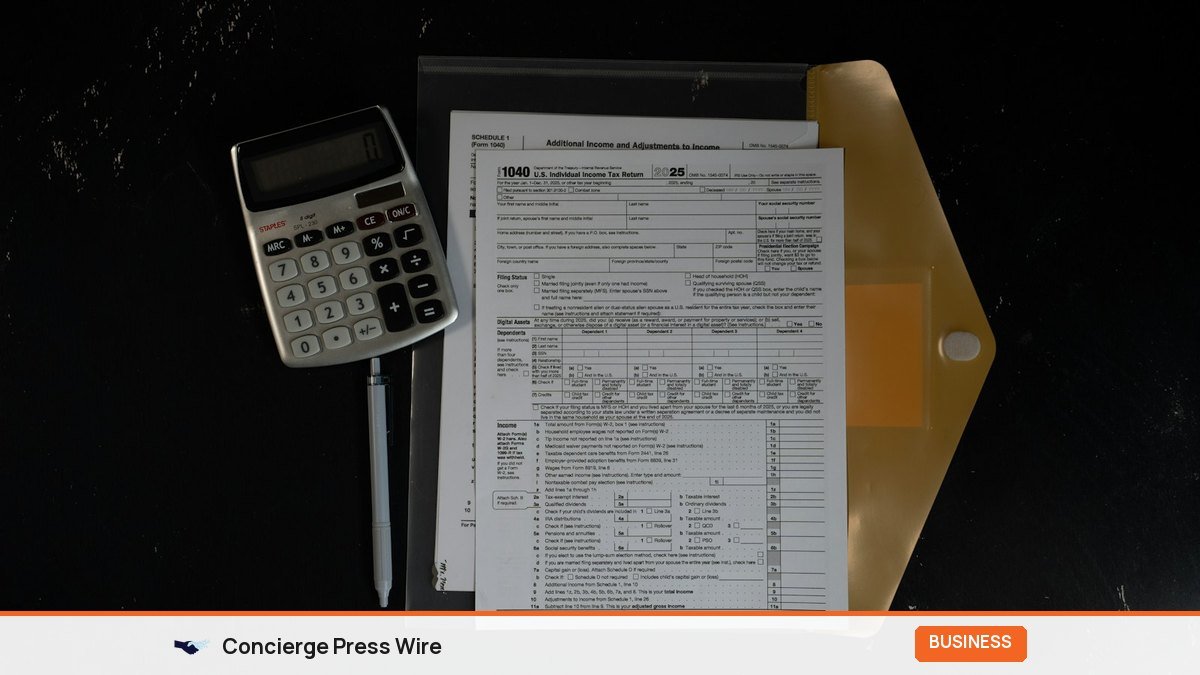
GSTR-1 is the return in which you tell the GST system what you sold. This guide explains whether you should file it monthly or quarterly, the due dates, how the Invoice Furnishing Facility (IFF) works, what goes into each table, the steps on the GST portal, and the mistakes that cause most notices and mismatches. It is written for small businesses, traders and D2C founders who file themselves or want to check their accountant’s work.
Key Takeaways
- Businesses with aggregate turnover above Rs 5 crore file GSTR-1 monthly, by the 11th of the next month.
- Businesses up to Rs 5 crore can choose the QRMP scheme: GSTR-1 quarterly by the 13th of the month after the quarter, with optional IFF uploads for the first two months.
- Late fee is Rs 50 per day (Rs 20 for a nil return), capped by turnover slab at Rs 2,000, Rs 5,000 or Rs 10,000.
- Your B2B invoices in GSTR-1 become your buyers’ input tax credit in GSTR-2B, so errors hurt your customers too.
- Returns cannot be filed more than three years after the original due date, so do not leave old periods pending.
What GSTR-1 is and who must file it
GSTR-1 is a statement of outward supplies. Every normal registered taxpayer reports invoice-level details of B2B sales, summary details of B2C sales, exports, credit and debit notes, advances and an HSN-wise summary. The figures then flow in two directions: into your own GSTR-3B (where you pay tax) and into your buyers’ GSTR-2B (where they see the input tax credit they can claim).
That second flow is why GSTR-1 matters. If a wholesaler in Surat forgets to upload an invoice raised to a retailer in Indore, the retailer’s credit does not appear and the retailer will chase the wholesaler. Many small suppliers lose repeat B2B orders over exactly this.
A few registrations do not file GSTR-1 at all. These include composition taxpayers (who file CMP-08 and GSTR-4), Input Service Distributors, non-resident taxable persons, OIDAR suppliers paying tax under Section 14 of the IGST Act, and registrations taken only to deduct TDS or collect TCS. If you have a normal registration, assume you must file, even for a month with no sales.
Monthly or quarterly: choosing between regular filing and QRMP
The Quarterly Return Monthly Payment (QRMP) scheme lets smaller taxpayers file returns four times a year while still paying tax every month. The choice depends on turnover and on what your buyers need.
| Point | Monthly filing | QRMP (quarterly) |
|---|---|---|
| Who can use it | Anyone; mandatory above Rs 5 crore aggregate turnover in the previous financial year | Aggregate turnover up to Rs 5 crore, by choice |
| GSTR-1 due date | 11th of the following month | 13th of the month after the quarter |
| B2B invoices in the first two months | Reported in that month’s GSTR-1 | Optional upload through IFF, 1st to 13th of the following month |
| Tax payment | Through monthly GSTR-3B | Monthly through PMT-06 (fixed-sum or self-assessment method), return quarterly |
| Filings in a year | 12 GSTR-1 + 12 GSTR-3B | 4 GSTR-1 + 4 GSTR-3B (+ IFF if used) |
| Best suited to | Businesses with many B2B buyers who want credit every month | B2C-heavy shops, small service providers, early-stage D2C brands |
A simple rule: if most of your sales go to registered businesses that claim credit, either file monthly or use IFF every month. If you sell mostly to consumers, QRMP saves real time and accountant fees. You can switch your preference on the portal (Services, Returns, Opt-in for Quarterly Return) within the window GSTN allows before each quarter; check the current window on the portal before you plan a switch.
How IFF works in practice
IFF is a cut-down form for QRMP taxpayers. It accepts only B2B invoices, B2B credit and debit notes and their amendments, which is all your buyers need to see their credit. It does not take B2C sales or an HSN summary. Anything you upload through IFF in month one or two does not need to be uploaded again in the quarterly GSTR-1. If you miss the IFF window for a month, simply report those invoices in the quarterly GSTR-1; there is no late fee for skipping IFF, because it is optional.
GSTR-1 due dates and late fee
For the current tax periods the due dates follow a fixed pattern. Government extensions are announced through CBIC notifications, so check the GST portal’s news section if a deadline falls near a holiday or a portal outage.
| Tax period | Monthly filer due date | QRMP filer due date |
|---|---|---|
| October 2026 | 11 November 2026 | IFF optional, 1 to 13 November 2026 |
| November 2026 | 11 December 2026 | IFF optional, 1 to 13 December 2026 |
| December 2026 / Oct-Dec quarter | 11 January 2027 | 13 January 2027 |
| January 2027 | 11 February 2027 | IFF optional, 1 to 13 February 2027 |
| March 2027 / Jan-Mar quarter | 11 April 2027 | 13 April 2027 |
The late fee runs from the day after the due date until the day you file:
- Regular return: Rs 25 per day under CGST plus Rs 25 under SGST/UTGST, so Rs 50 per day in total.
- Nil return: Rs 10 per day under each, so Rs 20 per day, capped at Rs 500 in total.
- Caps for regular returns (Notification 20/2021-Central Tax): Rs 2,000 in total if turnover in the previous year was up to Rs 1.5 crore, Rs 5,000 for Rs 1.5 crore to Rs 5 crore, and Rs 10,000 above Rs 5 crore.
A late GSTR-1 also has a knock-on cost. Your GSTR-3B cannot be filed until GSTR-1 for that period is filed, so a delay in one return often means interest on tax paid late through the other.
Before you start: a preparation checklist
Most filing pain comes from messy data, not from the portal. Spend fifteen minutes on this list and the filing itself takes far less time.
- Export your sales register for the period from your billing software or Tally, with invoice number, date, buyer GSTIN, place of supply, taxable value and tax by rate.
- Check every B2B buyer’s GSTIN against the portal’s “Search Taxpayer” tool. A cancelled or mistyped GSTIN is the most common reason a buyer cannot see credit.
- Separate inter-state B2C invoices above Rs 2.5 lakh (these go to Table 5 individually) from all other B2C sales (summarised in Table 7).
- List credit and debit notes issued in the period and link each to its original invoice.
- Note any advances received for which you have not yet raised an invoice.
- Prepare the HSN-wise summary, split by B2B and B2C, with the correct UQC (unit of quantity).
- Count the documents issued: invoice series used, cancelled invoices, credit notes, delivery challans.
- If you are on e-invoicing, download the auto-populated e-invoice data and reconcile it with your register before relying on it.
If you need to double-check tax amounts on mixed-rate invoices, a quick GST calculation tool such as our GST calculator helps catch rounding slips before they reach the return.
Table-wise guide to GSTR-1
The portal shows each section as a tile. Here is what each table covers and where small businesses usually go wrong.
| Table | What goes in | Watch out for |
|---|---|---|
| 4A, 4B (B2B, SEZ, deemed exports) | Invoice-wise taxable supplies to registered buyers, including reverse-charge supplies | Wrong GSTIN, wrong place of supply (CGST+SGST charged on an inter-state sale) |
| 5 (B2C Large) | Inter-state invoices to unregistered buyers above Rs 2.5 lakh | Putting intra-state large invoices here; they belong in Table 7 |
| 6 (Exports) | Exports with or without payment of tax, SEZ supplies, with shipping bill details | Missing shipping bill number and port code |
| 7 (B2C Others) | Rate-wise and state-wise summary of other consumer sales | Forgetting to net off B2C credit notes |
| 8 (Nil, exempt, non-GST) | Summary of nil-rated, exempted and non-GST outward supplies | Leaving it blank when you sold exempt goods such as fresh vegetables |
| 9 (Amendments) | Corrections to invoices reported in earlier periods | Deleting and re-adding instead of amending |
| 9B, 10 (Credit/debit notes) | Notes issued to registered (9B) and unregistered (10) buyers | Note value larger than the original invoice |
| 11 (Advances) | Tax on advances received and adjusted | Not reversing the advance when the invoice is raised |
| 12 (HSN summary) | HSN-wise quantity, value and tax, now on separate B2B and B2C tabs | Totals not matching Tables 4 to 10 |
| 13 (Documents issued) | Serial ranges of invoices, notes and challans, with cancelled counts | Skipping it; it is part of the return |
| 14, 15 (E-commerce) | Sales through e-commerce operators (TCS and Section 9(5) supplies) | Not reporting marketplace sales separately |
The HSN table changes you should know
Following a GSTN advisory in January 2025, Table 12 was split into separate B2B and B2C tabs and the HSN code is now picked from a drop-down instead of being typed. Validations were introduced gradually, starting in warning mode. A later clarification said that a taxpayer with only B2C supplies must still make at least one Table 12 entry. If your software still exports a single combined HSN sheet, ask your vendor for an update, or split it yourself before uploading.
Step-by-step: filing GSTR-1 on the GST portal
These steps follow the portal’s current flow. The labels move around now and then, but the logic stays the same.
- Log in at the GST portal and go to Services, Returns, Returns Dashboard.
- Select the financial year and period (month, or quarter for QRMP) and click Search.
- Open GSTR-1 and choose “Prepare Online” for a handful of invoices, or “Prepare Offline” to upload a JSON created with the GST Offline Tool or your accounting software. Most businesses with more than 20 invoices should use offline upload.
- Fill or upload each table using the guide above. After an upload, open the “Error report” if any records fail and fix them at the source.
- Fill Table 12 and Table 13, which people often leave for last and forget.
- Click “Generate Summary” and wait a minute or two, then refresh. Download the summary PDF and compare the totals with your sales register.
- Preview and tick the declaration, choose the authorised signatory.
- File with DSC or EVC. Companies and LLPs must sign with a Digital Signature Certificate; proprietors and partnerships can use an OTP-based EVC.
- Save the ARN (acknowledgement reference number) and the filed PDF with your monthly records.
The portal’s own returns user manual has screenshots for every tile if you get stuck on a particular table.
A worked example
Take an illustrative case: a spice trader in Rajkot on QRMP, turnover around Rs 1.2 crore. In October it raises 40 B2B invoices to retailers across Gujarat and Maharashtra and makes Rs 3 lakh of counter sales to walk-in customers.
- By 13 November it uploads the 40 B2B invoices through IFF so its retailers see the October credit in their GSTR-2B.
- It pays October tax through PMT-06 by 25 November.
- November follows the same pattern.
- For December, by 13 January it files the quarterly GSTR-1 with December’s B2B invoices, the full quarter’s B2C summary in Table 7, the HSN summary (B2B and B2C tabs) and the documents table, then files GSTR-3B for the quarter.
The result: four returns a year, but its buyers never wait three months for their credit.
Correcting mistakes: amendments and GSTR-1A
Once filed, GSTR-1 cannot be revised. You have two ways to correct it.
- GSTR-1A, introduced in 2024, lets you add missed records or correct details for the same tax period, but only after filing GSTR-1 and before filing that period’s GSTR-3B. Use it when you spot an error within the same month or quarter.
- Amendment tables (9A, 9C, 11 and so on) in a later period’s GSTR-1, for errors found after GSTR-3B has been filed. Amendments to a financial year are generally allowed up to 30 November of the next financial year or the date of filing the annual return, whichever is earlier.
GSTN has also moved to lock the auto-populated tax liability in GSTR-3B. In practice, this means the way to fix a liability error is to correct GSTR-1 through GSTR-1A rather than editing figures inside GSTR-3B. Get the outward supplies right first and the rest follows.
One more limit: after an amendment to Section 37 of the CGST Act, a GSTR-1 cannot be filed once three years have passed from its original due date. If an old registration has unfiled periods, deal with them now rather than discovering later that the portal will not accept them.
Common GSTR-1 errors and how to avoid them
- Mismatched GSTR-1 and GSTR-3B totals. Departments run automated comparisons and issue notices for gaps. Reconcile both before filing GSTR-3B.
- Wrong place of supply. An inter-state sale taxed as CGST+SGST means the buyer cannot use the credit and you may have to pay IGST again and claim a refund of the wrong tax.
- B2B sale reported as B2C. Happens when staff skip the GSTIN field at billing. The buyer gets no credit until you amend.
- Duplicate invoice numbers across two branches using the same series. Use a branch prefix in invoice numbering.
- Credit notes beyond the time limit. A credit note for a financial year generally has to be declared by 30 November of the following year.
Frequently Asked Questions
Do I need to file GSTR-1 if I had no sales this month?
Yes. A normal registered taxpayer must file a nil GSTR-1 for any period with no outward supplies. You can file a nil return on the portal or by SMS, and the late fee for a delayed nil return is lower at Rs 20 per day, capped at Rs 500.
Is IFF compulsory under QRMP?
No. IFF is optional. It exists so that your B2B buyers can claim credit monthly. If you skip it, report those invoices in the quarterly GSTR-1 and there is no penalty for not using IFF.
Can I file GSTR-3B before GSTR-1?
Not for the same period. The portal requires GSTR-1 (or IFF-plus-quarterly GSTR-1 for QRMP filers) before GSTR-3B can be filed, because the liability in GSTR-3B is auto-populated from GSTR-1.
What happens if my buyer says the invoice is not showing in their GSTR-2B?
Check whether you filed GSTR-1 or IFF before the cut-off, whether the GSTIN was correct and whether the invoice was put under B2C by mistake. If it was missed, add it through GSTR-1A (before your GSTR-3B) or in the next period’s GSTR-1.
Who should sign GSTR-1 with a DSC?
Companies and LLPs must use a registered Digital Signature Certificate of the authorised signatory. Other taxpayers can use EVC, which is an OTP sent to the authorised signatory’s registered mobile number.
Can I change from monthly to quarterly filing in the middle of the year?
Yes, if your turnover is within the Rs 5 crore limit. The preference is set quarter by quarter through the opt-in option on the portal, within the window GSTN announces. Rules and windows change, so check the portal or a GST practitioner before switching.
Make GSTR-1 a monthly habit
The businesses that never fear GSTR-1 treat it as a routine, not a deadline. Close your sales register on the 3rd or 4th, verify GSTINs, prepare the HSN and documents tables, and upload well before the 11th or 13th. Your buyers get their credit on time, your GSTR-3B matches, and notices become rare. GST rules and portal processes change regularly, so confirm current due dates and fees on the GST portal or with your tax professional before each filing season. If you are also building visibility for the business, our guide to press release distribution in India covers the publicity side, and how to write a press release in India walks through announcing a milestone the right way.