ONDC for Small Sellers: How to Join, Fees and Pros and Cons
A plain-English guide to ONDC for small sellers: how it works, how to join through a seller app, which fees to check, and how it compares with big marketplaces.
ONDC, the Open Network for Digital Commerce, lets a small seller list products once through a seller app and become visible to buyers on many different shopping and payment apps. This guide explains in plain terms how ONDC works for sellers, how to join through a seller app step by step, what fees and commissions to ask about, how it compares with selling on Amazon or Flipkart, and the government support available to micro and small enterprises that join.
Key Takeaways
- ONDC is not an app or a marketplace. It is an open network: you join through a seller app, and your catalogue becomes visible on participating buyer apps.
- Commissions are not fixed by ONDC. The seller app and buyer app each set their own fees, so compare total cost per order before signing up.
- ONDC announced a network fee of Rs 1.50 per successful transaction above Rs 250, payable by seller-side participants; its start date was pushed back from January 2025 to April 2025. Ask your seller app whether and how it is passed on to you.
- The Ministry of MSME’s TEAM initiative supports micro and small enterprises joining ONDC, including catalogue creation support of up to Rs 2,500 per enterprise.
- ONDC works best as an additional sales channel, not a replacement for your shop, website or existing marketplaces.
What ONDC actually is
On a traditional marketplace, the same company runs the shopping app, holds the seller accounts, sets the commission and controls search ranking. ONDC splits those roles. It is a set of open rules and protocols, backed by the government’s Department for Promotion of Industry and Internal Trade (DPIIT), that lets different apps talk to each other.
Think of it like UPI. With UPI, you can pay from one bank’s app to someone who banks elsewhere because everyone follows the same rules. With ONDC, a buyer using one app can order from a seller who listed on a different app. The ONDC website describes the roles a business can play on the network, including buyer network participant, seller network participant, logistics and technology service provider.
For a small seller, the parts that matter are:
- Seller app (seller network participant, or SNP): where you sign up, upload your catalogue, receive orders and get paid.
- Buyer apps (buyer network participants, or BNPs): the consumer-facing apps where customers search and order. Your products can appear on several of them at once.
- Logistics partners: delivery providers that pick up orders from you, often arranged through your seller app.
Who ONDC suits best
ONDC has been used across categories such as groceries, food and beverages, fashion, home and kitchen, electronics, beauty and personal care, and B2B supplies. It tends to suit:
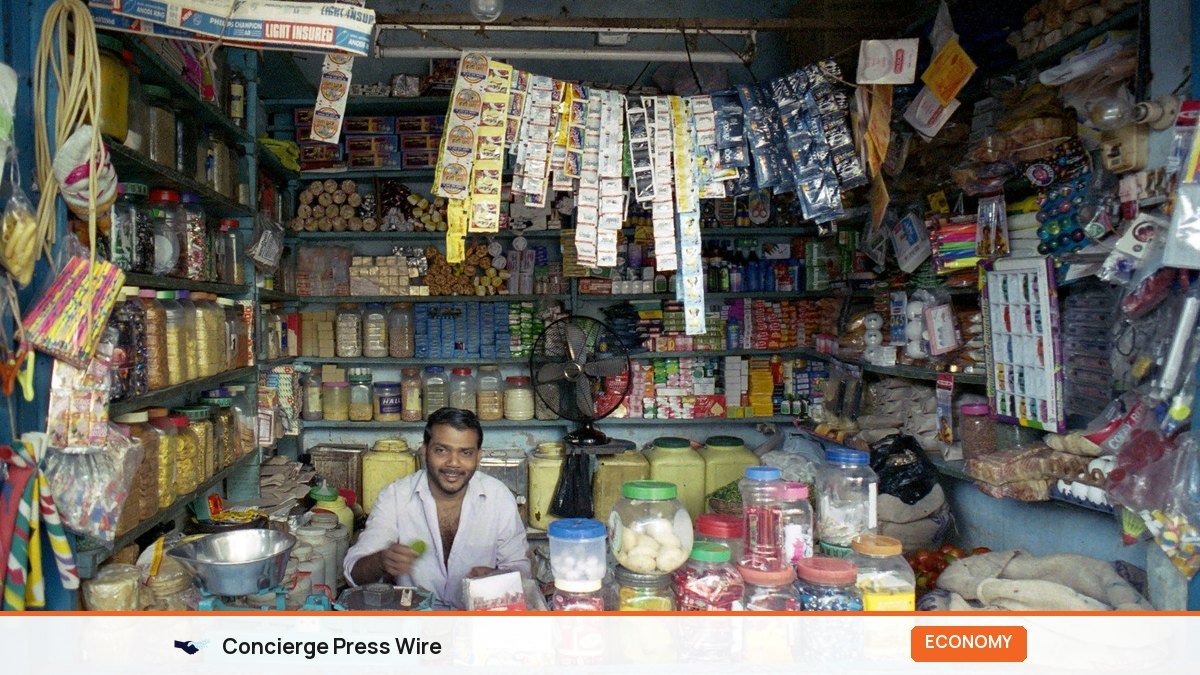
- Neighbourhood kirana stores, bakeries and restaurants that want online orders from their area without high marketplace commissions.
- Small D2C brands that already have products, photos and prices, and want extra discovery.
- Manufacturers and artisans, including those supported by state and central schemes, looking for new buyers.
- Businesses that already sell on WhatsApp and want a more structured order and payment flow.
It suits less well if you cannot keep inventory and prices updated, if your product needs heavy pre-sale explanation, or if your margins cannot absorb delivery costs on small orders.
How to join ONDC through a seller app, step by step
- Get your basics ready. PAN, a bank account in the business name, GSTIN (needed for most categories), and an FSSAI licence for food. Udyam registration is not always mandatory for ONDC itself but is needed for MSME schemes such as TEAM; see our Udyam registration guide.
- Shortlist two or three seller apps. Several companies run seller apps, some focused on kirana and food, others on fashion, D2C or B2B. The MSME TEAM portal lists network participants registered under that scheme.
- Compare their terms in writing. Ask each about onboarding fees, monthly subscription, per-order commission, payment settlement time, logistics rates, and return handling. Use the checklist later in this article.
- Complete KYC. Upload PAN, GST, bank details and any category licences. Most apps verify in a few days.
- Build your catalogue. Clear photos on a plain background, accurate names, MRP and selling price, weight or size, and the details buyers use to filter (brand, colour, veg or non-veg, pack size). Good catalogue data decides whether you show up in search on buyer apps.
- Set serviceability. Define delivery radius or pin codes, store hours, preparation time and whether you deliver yourself or use the app’s logistics partner.
- Test with a few orders. Order from your own store through a buyer app, check that the price, packaging and delivery work, and fix problems before you promote it.
Fees and commissions: what to ask, and what is verified
This is where most confusion sits. ONDC itself does not set one commission for sellers. Each order can involve:
| Fee | Who sets it | What to ask |
|---|---|---|
| Seller app fee | Your seller app | Is it a monthly subscription, a percentage per order, or both? Any setup fee? |
| Buyer app finder fee | The buyer app where the order came from | Does it vary by buyer app and category? Will I see it on each order? |
| ONDC network fee | ONDC | Is the announced Rs 1.50 per qualifying order charged to me, absorbed by the app, or not yet applied? |
| Logistics charge | Delivery partner, via seller app | Rate per km or slab, who pays for failed deliveries and returns |
| Payment gateway charges | Seller app or payment partner | Included in commission or separate? Settlement time (T+1, T+3, weekly)? |
| GST and TCS | Law | How GST on fees and tax collected at source are shown in settlement reports |
On the network fee: ONDC announced a charge of Rs 1.50 for every successful transaction above Rs 250, payable by seller-side participants, with cancelled orders and those below Rs 250 exempt. It was first set to start on 1 January 2025 and then postponed to 1 April 2025, as Inc42 reported. Whether your seller app passes this on depends on its own terms, so ask directly.
Many articles quote ONDC total commissions as a flat single-digit percentage. Treat any such figure as an estimate. Fees differ by app, category and promotional period, and buyer apps have changed incentive and discount programmes several times. Work out your own cost per order using real quotes.
A worked cost example
Illustrative numbers only: a home-décor seller in Jaipur sells a Rs 1,200 cushion set. Suppose the seller app charges 3%, the buyer app finder fee is 5%, logistics costs Rs 80 and payment charges are 2%. Fees then total about Rs 36 + Rs 60 + Rs 80 + Rs 24 = Rs 200, or roughly 17% of the selling price, before GST on fees, returns and any network fee. Do this calculation with actual quotes for your top three products before you list.
Checklist before you sign with a seller app
- Full fee card in writing: setup, subscription, per-order commission, payment charges, and how GST on fees is billed.
- Settlement cycle and a sample settlement report, so you can reconcile every order.
- List of buyer apps you will be live on in your city and category.
- Logistics rates for your typical parcel weight and distance, and who pays for failed deliveries and return shipping.
- Catalogue support: will they help with photos, bulk upload or integration with your billing or inventory software?
- Support channel and language: phone, WhatsApp or email, and typical response time.
- Exit terms: notice period, and whether you can export your catalogue and order data if you switch.
If an app cannot answer these clearly, move to the next one on your shortlist.
ONDC versus big marketplaces
| Factor | ONDC via seller app | Large marketplace |
|---|---|---|
| Reach | Spread across several buyer apps; varies by city and category | One very large, concentrated audience |
| Fees | Set by individual apps; often lower, but must be checked case by case | Published commission and fee cards, often higher in many categories |
| Customer relationship | Depends on app; generally more seller visibility | Marketplace owns the customer relationship |
| Discovery and ranking | Each buyer app ranks differently | One algorithm, with paid ads to boost |
| Logistics | Choice of partners, hyperlocal options | Integrated fulfilment, often reliable at scale |
| Dispute handling | Network-level grievance process plus app support | Single seller support system |
| Best for | Local and hyperlocal sellers, extra channel for D2C | High-volume sellers in competitive categories |
Pros and cons for a small seller
Pros
- Potentially lower cost per order than some large marketplaces.
- One catalogue, visibility on several buyer apps.
- Hyperlocal delivery makes it practical for neighbourhood stores and food businesses.
- Government support for onboarding and catalogue creation through the TEAM initiative.
Cons
- Order volume can be uneven, and depends heavily on how much buyer apps promote ONDC in your city and category.
- Fees are spread across parties, so true cost per order takes effort to calculate.
- Catalogue quality matters a lot, and poor data means poor visibility.
- Seller app support quality varies. Choose one with responsive local help.
Government support: the MSME TEAM initiative
The Ministry of MSME’s Trade Enablement and Marketing (TEAM) initiative, part of the RAMP programme, helps micro and small enterprises sell on ONDC. According to the RAMP portal’s TEAM page, it has an outlay of Rs 277.35 crore for three years (2024-27) and aims to support about 5 lakh MSEs, half of them women-owned. Support includes onboarding and ONDC-compliant catalogue creation capped at Rs 2,500 per MSE, account management assistance capped at Rs 5,000 per MSE, and help with transport, logistics and packaging. NSIC is the implementing agency and ONDC is the technical partner.
Registration runs through the MSME TEAM portal, which also lists participating seller and buyer network participants. Scheme terms can change, so check the portal for current eligibility before relying on any amount.
A 30-day plan to test ONDC properly
- Days 1 to 5: Get quotes from two or three seller apps; calculate cost per order for your top products.
- Days 6 to 10: Complete KYC and list your 20 to 50 best-selling products with clean photos and full details.
- Days 11 to 15: Place test orders; check delivery, packaging, payment settlement.
- Days 16 to 30: Tell existing customers they can find you on ONDC-connected apps, track orders, cost per order and returns weekly.
At day 30, compare ONDC margin per order with your other channels. If it holds up, expand the catalogue. If volume is low, improve photos and titles first, then reconsider. If you hit a notable milestone, such as being among the first sellers of a local product category on the network, a short news release can help; our guide on press release distribution in India covers the basics.
Frequently Asked Questions
Is ONDC free for sellers?
Joining the network itself is done through a seller app, and apps set their own charges. Some offer free onboarding or subsidised plans, especially under the TEAM initiative, but per-order fees usually apply. Always ask for the full fee card.
Do I need GST registration to sell on ONDC?
Most seller apps require GSTIN for most categories, as with other e-commerce platforms. Rules differ for some small sellers and categories, so check with your seller app and a tax professional.
Can I sell on ONDC and Amazon or Flipkart at the same time?
Yes. ONDC does not require exclusivity. Many sellers use it as an additional channel. Keep inventory synced so you do not oversell.
Which buyer apps will show my products?
It depends on your seller app’s integrations, your category and your location. Ask your seller app which buyer apps you are live on, and check them yourself.
How do payments work on ONDC?
Payment is typically collected by the buyer app or a payment partner and settled to you through your seller app, after deducting fees. Settlement timelines vary, so ask before you sign up.
Who handles complaints and returns?
Your seller app and the buyer app handle most issues, and ONDC has a grievance mechanism for network-level disputes. Set a clear return policy in your listings.
The sensible way to approach ONDC
Treat ONDC as a low-cost experiment, not a magic switch. Pick the right seller app, list your strongest products with excellent catalogue data, calculate true cost per order, and give it a month of real effort. Fees, schemes and network rules evolve, so recheck terms with your seller app and on official portals every few months.